

Plan your integration
Overview
Before writing a single line of code, it's worth investing time in understanding how your users can get the most value from an Aircall integration — and designing around that. This are the steps and timelines involved in building an integration with us
Here's how to get started:
- Explore the guidelines & features below
Familiarise yourself with what Aircall's API and AI capabilities can do, and identify which ones are relevant to your product and users - Talk to your customers Validate your assumptions before building. Which Aircall workflows are your users doing manually today? Where are the gaps? What would save them the most time?
- Write an integration plan
Document the use cases you want to support, the features you'll use, and how the integration will work. Use our integration plan template as a starting point - Share it with us
Once we've replied to your partner application, we will request the plan. You can share it as doc in the cloud, a notion page or similar. We'll review it and get back to you within 1 to 5 business days. If approved, you'll receive your developer account and OAuth credentials to start building
Guidelines
Build an efficient and responsive integration
To create an integration that works seamlessly with Aircall, build it to be event-based. Once a user authorizes your app through the install flow, set up webhooks via the API so your integration can react in real-time to events within Aircall — such as call updates or contact changes. This minimizes the need for constant polling and keeps your app responsive to critical user actions.
Be mindful of Aircall's API rate limits to ensure a smooth user experience and avoid disruptions.
Use OAuth
OAuth is required for public apps. It provides a secure, scalable authentication method and ensures your app is easy to install for any Aircall user.
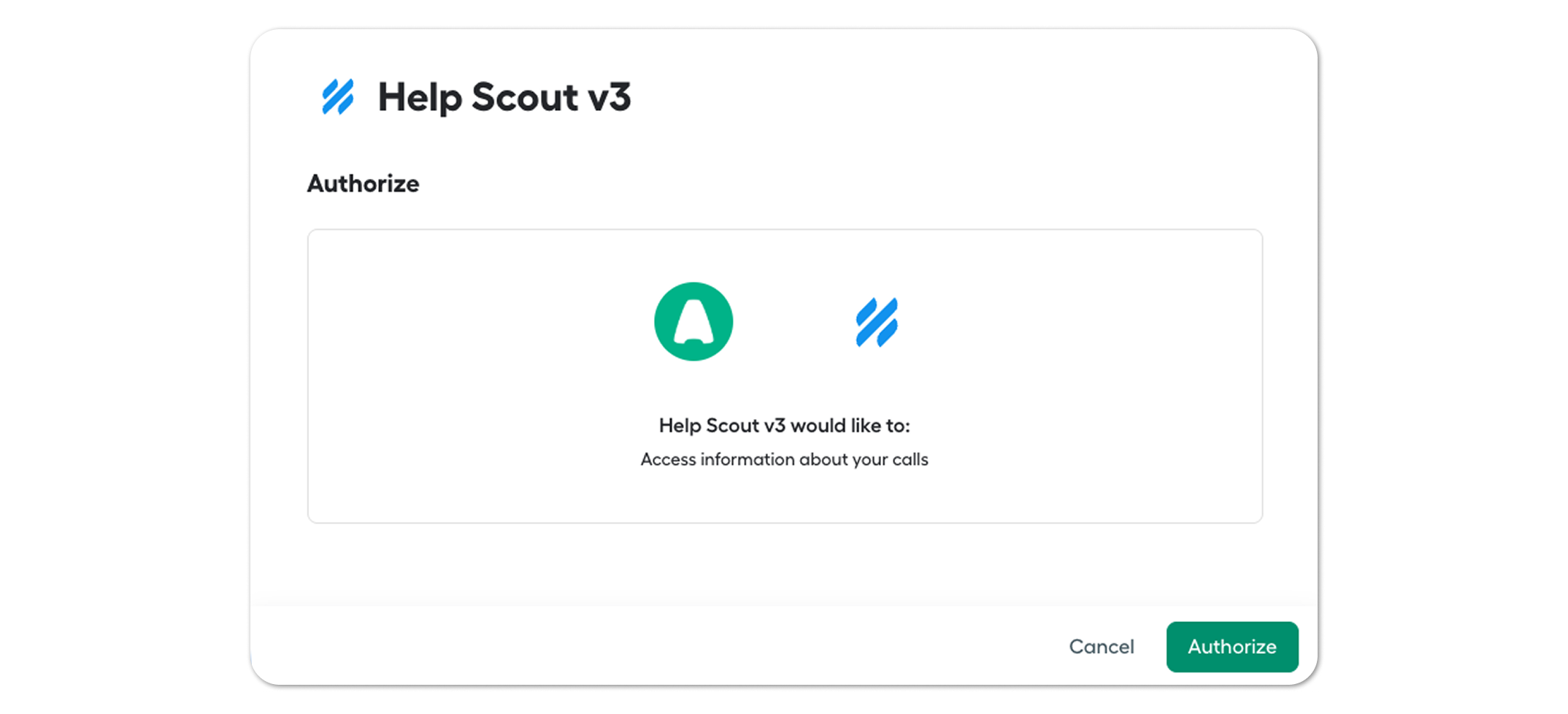
A few important things to understand about how OAuth works with Aircall:
- Account-level access — when an admin installs your integration, you receive a single access_token for the whole Aircall account. You don't need to — and shouldn't — ask individual users to authenticate separately with their own API keys
- User matching — to associate Aircall users with users in your product, match them by email. Use the List all Users endpoint to retrieve the account's users and map them against your own user records
- Phone number access — during the OAuth flow, the admin selects which phone numbers your integration can access. Your token will only receive events for the numbers they explicitly grant
- The OAuth flow can be started either from your app by referring to the redirect_uri, or better, from the Aircall Dashboard with an install_uri.
Learn more: Configuring OAuth guide →
Features to consider
Depending on your product, some of the following Aircall features may be a great fit for your integration. Consider which ones add the most value for your mutual users.
Conversation Intelligence
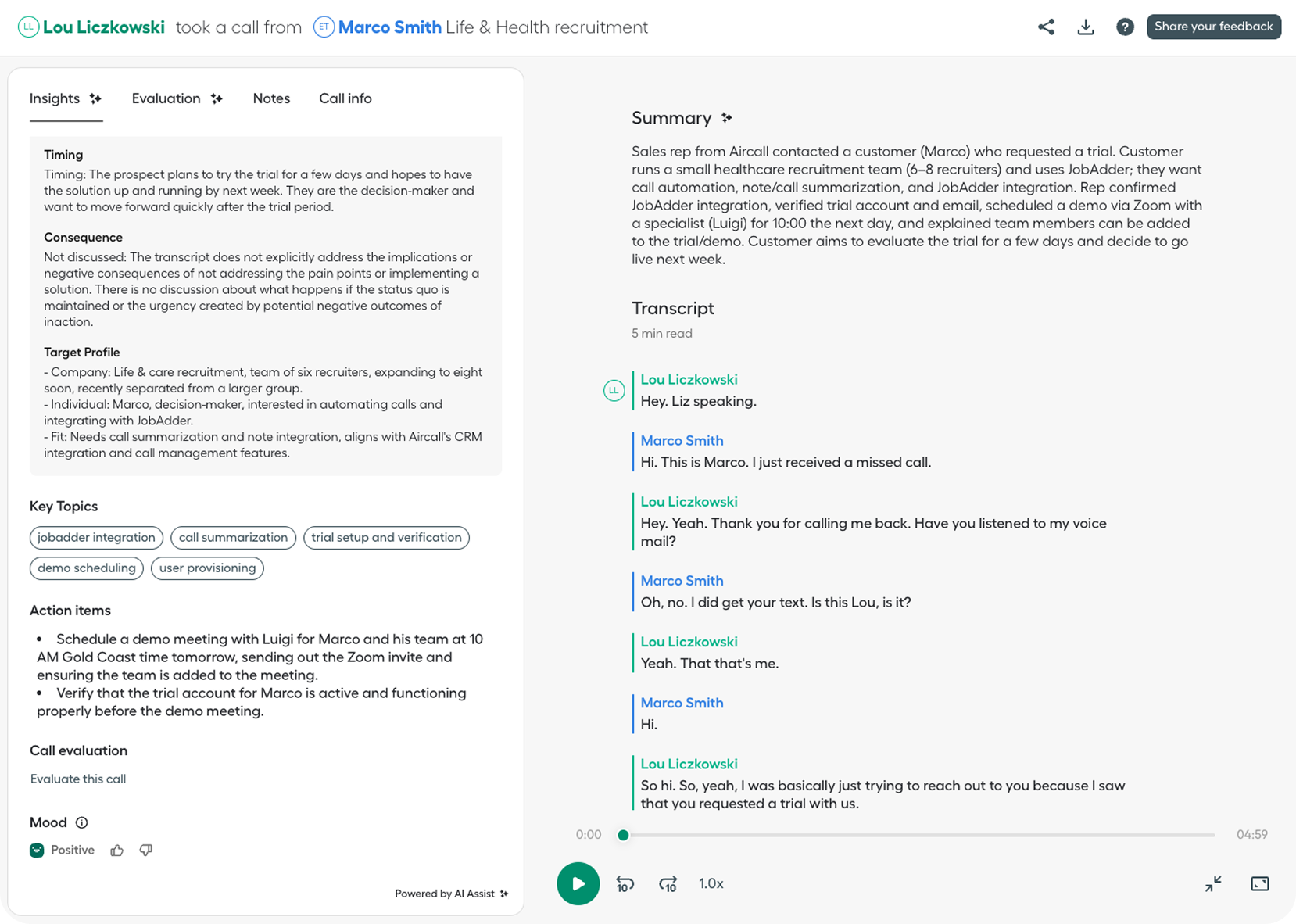
Aircall's Conversation Intelligence API gives you programmatic access to a rich set of AI-generated call data. This is one of the most powerful integration surfaces Aircall offers — and a strong differentiator for any product that wants to go beyond basic call logging.
Transcriptions & Summaries
Retrieve full call transcriptions and AI-generated summaries after a call ends, or listen to transcription.created and summary.created webhook events to push data into your system in real-time. Ideal for CRMs and helpdesks that want to auto-populate call records without agents having to write notes.
Custom Summaries
Define your own summary templates tailored to your use case. A recruiting tool might want a summary structured around candidate evaluation. A helpdesk might want one focused on issue description and resolution. Custom summaries let your product extract exactly the structure that matters to your users, surfaced directly in your UI.
Playbooks
Aircall Playbooks let teams define checklists or scripts that agents follow during calls. Via the API, you can retrieve playbook results (playbook_result.created, playbook_result.updated) to understand how well agents followed a process. This is particularly valuable for QA tools, sales coaching platforms, and compliance-heavy use cases like financial services or healthcare.
Call Evaluations
Retrieve structured call quality scores (call_evaluation.created, call_evaluation.updated) to power QA workflows in your product. Instead of managers manually reviewing calls, evaluations can be surfaced and acted on directly within your tool — whether that's a QA platform, an ATS, or a performance management system.
Sentiment & Topics
retrieve customer sentiment and key topics discussed during calls. Use these to power dashboards, flag at-risk customers, or enrich contact and deal records with conversation context.
Log AI Voice Agent calls
Aircall's AI Voice Agent handles calls autonomously and exposes key lifecycle events you can build on: ai_voice_agent.started, ai_voice_agent.ended, ai_voice_agent.escalated, and ai_voice_agent.summary. Your integration can react when an agent starts handling a call, escalates to a human, or wraps up — logging the interaction, triggering handoff workflows, or pushing agent summaries into your system automatically.
AI Outbound calls
Aircall's AI Virtual Agent now makes outbound calls too and you have to trigger them from the API. That enables a wide arrange of use cases when creating integrations and flows.
Insight cards
Insight Cards display data from your system directly inside the Aircall dialer while a call is in progress. This allows users to see relevant customer information in real-time — without leaving Aircall — and navigate to your product via hyperlinks directly from the card.
Embedded Dialer
Embed Aircall's dialer directly into your product using the Everywhere SDK. Users can make and manage calls without ever leaving your app. The SDK provides automatic retrieval of logged-in user info, call lifecycle events, and the ability to trigger actions like dialing numbers or checking login status.
Call Logging
Log call information using webhooks triggered at different stages of the call lifecycle. For CRM integrations, log calls directly to the contact record. For helpdesk tools, log them to the relevant ticket. This gives users a complete communication history without any manual effort.
Contact Sync
Sync contact data from your application to Aircall so users always have up-to-date customer information at their fingertips. This eliminates manual updates and gives users a unified view of their customer base across both platforms.
Tag Sync
Sync Aircall tags with your native tags to empower users to create tailored views, detailed reports, and automated workflows that reflect their business needs.
SMS and MMS Messaging
Integrate SMS and MMS capabilities directly into your application using Aircall's Messaging API and events. Users can send and receive text and multimedia messages, adding a versatile communication channel alongside voice. Check exactly what endpoint to use: https://support.aircall.io/en-gb/articles/20698710100381
Call Management
Aircall's API provides a full suite of call management capabilities: initiating and connecting calls, transferring to other users, commenting on conversations, and tagging calls for organization. Explore the full list of available endpoints in the API reference.
Other capabilities
Aircall's API also lets you manage teams, users, contacts, numbers, IVR data, campaigns, and more. Keep exploring the developer portal to discover what's possible.
Updated 3 months ago