

Start an outbound call
Start an outbound call from a specific Aircall user with the Aircall API, including authentication, required IDs, request examples, and response handling.
Getting started
Start an outbound call from a specific Aircall user with POST /v1/users/:id/calls.
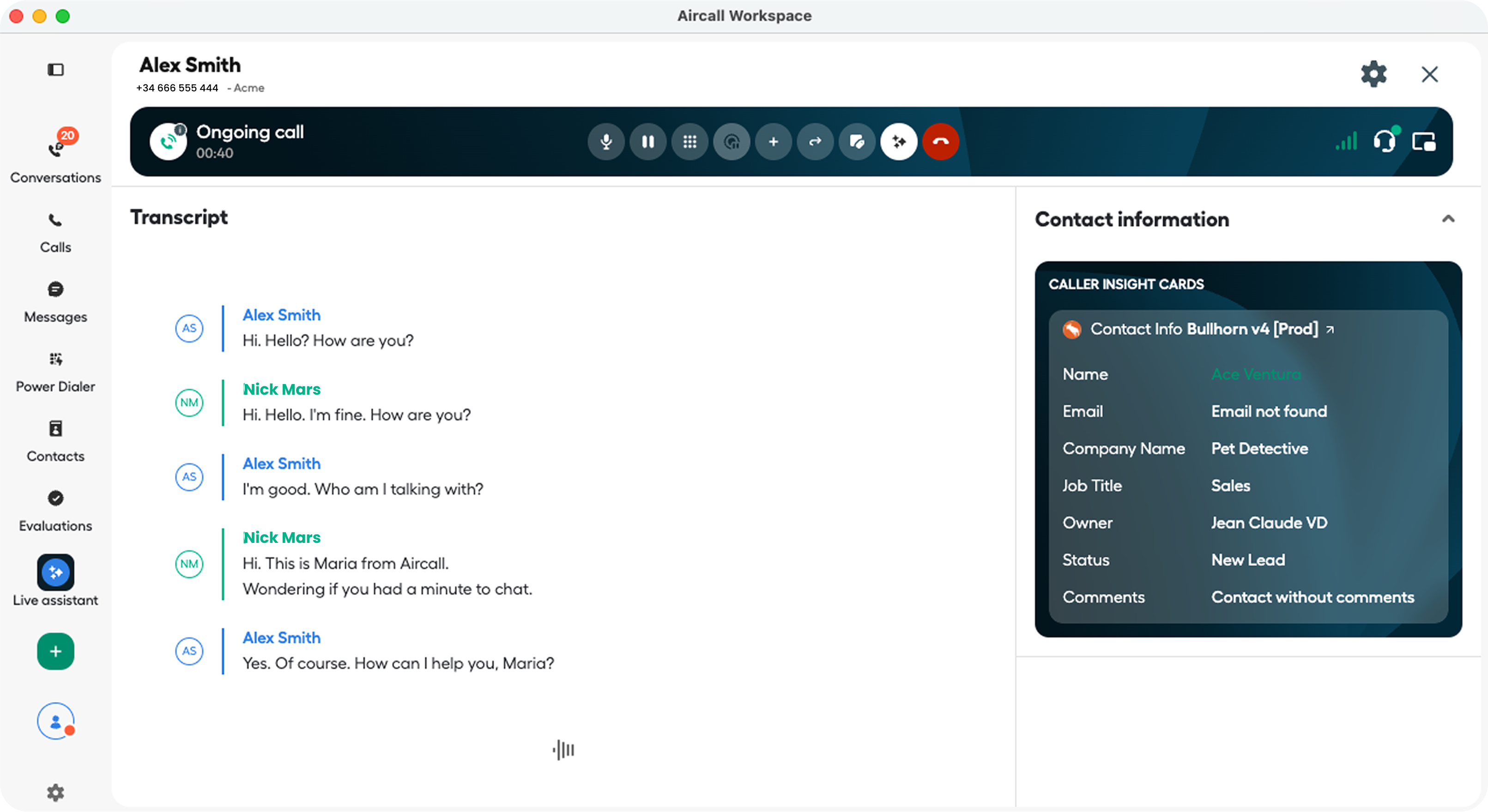
Use this endpoint when your integration already knows which Aircall user should place the call and which Aircall number they should call from. For example, you can trigger a call from a CRM button, a callback request, or an automated workflow where the call should start without extra agent input.
For endpoint-level details, limitations, parameters, and status codes, see the Start an outbound call API reference.
Before you send the request:
- Create or use an existing Aircall account. Sign up as a customer or, if you qualify to be a tech partner, sign up for a developer account.
- Set up authentication with OAuth or Basic Auth. This guide uses Basic Auth.
- Install Aircall Workspace for the user who will place the call.
- Get the Aircall user ID for the agent who will place the call. You can fetch it with
GET /v1/usersor find it in the Aircall Dashboard. - Get the Aircall number ID to call from. The user must be assigned to this number. You can fetch the user details with
GET /v1/users/:idand check thenumbersarray. - Format the destination phone number in E.164 format, for example
+18001231234.
Send the outbound call request
The POST /v1/users/:id/calls endpoint starts the outbound call automatically. It requires the Aircall user ID in the path and number_id plus to in the JSON body.
| Field | Type | Required | Description |
|---|---|---|---|
id | integer | Yes | Aircall user ID for the user who should place the call. |
number_id | integer | Yes | Aircall number ID to use as the outbound caller number. The user must be assigned to this number. |
to | string | Yes | Destination phone number in E.164 format, for example +18001231234. |
A successful request returns 204 No Content. Do not parse a response body from the Aircall API when the call starts successfully.
1. Prepare your server
Create an Express server with an endpoint your app can call when it needs to start an outbound call.
import express from "express";

const app = express();
app.use(express.json());

const AIRCALL_API_BASE_URL = "https://api.aircall.io/v1";

function getBasicAuthHeader() {
  const apiId = process.env.AIRCALL_API_ID;
  const apiToken = process.env.AIRCALL_API_TOKEN;

  if (!apiId || !apiToken) {
    throw new Error("Missing AIRCALL_API_ID or AIRCALL_API_TOKEN");
  }

  // Basic Auth uses your API ID as the username and API token as the password.
  // See: https://developers.aircall.io/api-references/#authentication
  const credentials = Buffer.from(`${apiId}:${apiToken}`).toString("base64");
  return `Basic ${credentials}`;
}

app.post("/start-outbound-call", async (req, res) => {
  const {
    userId,
    numberId,
    to,
    checkAvailability = true,
    focusWorkspace = false,
  } = req.body;

  let authHeader;

  try {
    authHeader = getBasicAuthHeader();
  } catch (error) {
    return res.status(500).json({ error: error.message });
  }

  try {
    if (checkAvailability) {
      // Optional but recommended: check whether the user can place a call before
      // requesting POST /calls. Continue only when the response is `available`.
      // Possible values: available, offline, do_not_disturb, in_call, after_call_work.
      // See: https://developers.aircall.io/api-references/#check-availability-of-a-user
      const availabilityResponse = await fetch(
        `${AIRCALL_API_BASE_URL}/users/$USERID/availability`,
        {
          method: "GET",
          headers: {
            Authorization: authHeader,
            "Content-Type": "application/json",
          },
        }
      );

      if (!availabilityResponse.ok) {
        // Handle errors from GET /users/:id/availability.
        return res.sendStatus(availabilityResponse.status);
      }

      const availabilityData = await availabilityResponse.json();

      if (availabilityData.availability !== "available") {
        return res.status(409).json({
          error: "User is not available.",
          availability: availabilityData.availability,
        });
      }
    }

    if (focusWorkspace) {
      // Optional: pre-fill the user's phone UI with the destination number.
      // This endpoint does not start the call. POST /users/:id/calls below starts it.
      // See: https://developers.aircall.io/api-references/#dial-a-phone-number-in-the-phone
      const dialResponse = await fetch(
        `${AIRCALL_API_BASE_URL}/users/$USERID/dial`,
        {
          method: "POST",
          headers: {
            Authorization: authHeader,
            "Content-Type": "application/json",
          },
          body: JSON.stringify({ to }),
        }
      );

      if (!dialResponse.ok) {
        // Handle errors from POST /users/:id/dial.
        return res.sendStatus(dialResponse.status);
      }

      // POST /dial returns 204 No Content on success, so there is no body to parse.
    }

    // Required: start the outbound call from the selected Aircall number.
    // `number_id` must be an Aircall Number assigned to the user in the path.
    // `to` must be in E.164 format, for example +18001231234.
    // See: https://developers.aircall.io/api-references/#start-an-outbound-call
    const callResponse = await fetch(
      `${AIRCALL_API_BASE_URL}/users/$USERID/calls`,
      {
        method: "POST",
        headers: {
          Authorization: authHeader,
          "Content-Type": "application/json",
        },
        body: JSON.stringify({
          number_id: Number(numberId),
          to,
        }),
      }
    );

    if (!callResponse.ok) {
      // Handle errors from POST /users/:id/calls.
      return res.sendStatus(callResponse.status);
    }

    // POST /calls returns 204 No Content on success. Return your own app-level
    // response so the client knows the request completed.
    return res.status(200).json({
      status: "started",
      message: "Outbound call started.",
    });
  } catch (error) {
    console.error("Failed to start outbound call:", error);
    return res.status(500).json({
      error: "Failed to start outbound call.",
    });
  }
});

app.listen(3000, () => {
  console.log("Server listening on port 3000");
});
2. Call your server endpoint
Send the Aircall user ID, Aircall number ID, and destination phone number to your server. Set focusWorkspace to true only if you want to pre-fill the phone UI before starting the call.
const response = await fetch("http://localhost:3000/start-outbound-call", {
  method: "POST",
  headers: {
    "Content-Type": "application/json",
  },
  body: JSON.stringify({
    userId: 123456,
    numberId: 987654,
    to: "+18001231234",
    checkAvailability: true,
    focusWorkspace: false,
  }),
});

const result = await response.json();
console.log(result);
A successful local response looks like this:
{
  "status": "started",
  "message": "Outbound call started."
}
Troubleshooting
400 Bad Request
400 Bad RequestThe Aircall number may not exist, the destination number may be invalid, or the request body may be malformed. Confirm that number_id is an integer and that to is a valid E.164 phone number, for example +18001231234.
401 Unauthorized
401 UnauthorizedYour request was not authenticated. Check that your API ID and API token are correct, and that you are sending them with Basic Auth.
405 User not available
405 User not availableThe user is offline, already on a call, in do-not-disturb mode, or in after-call work. Check GET /v1/users/:id/availability and only start the call when the response is available.
The number cannot be used
Confirm that the numberId exists, is active, and is assigned to the user making the call. You can check the user's assigned numbers with GET /v1/users/:id.
The destination number is rejected
Confirm that to contains a valid E.164 phone number, including the + prefix and country code.
The call does not start in the phone app
Confirm that the userId belongs to the Aircall user who should place the call and that the user is signed in to Aircall Workspace or the Aircall Phone app on desktop.
Updated 3 months ago
What’s Next
And that’s it! With just a few lines of code, your integration can now put agents on the phone with customers programmatically. From here, you can take things further: